Open Shifts
Can’t fill a shift, or want to let staff opt in? Post it as an open shift and your qualified team can claim it.
Post an open shift
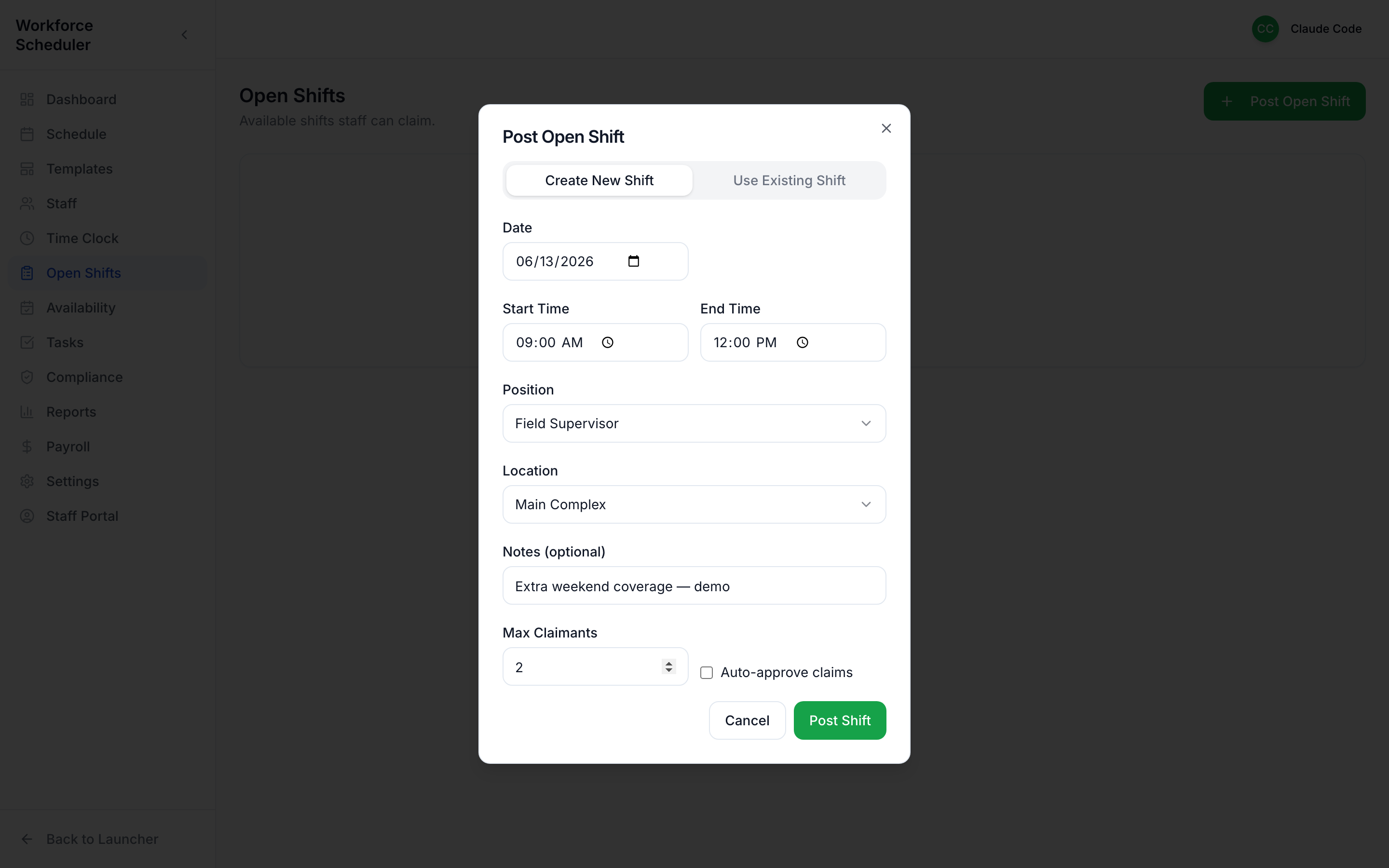
Section titled “Post an open shift”Start from Post Open Shift (on the Dashboard or the Open Shifts page).
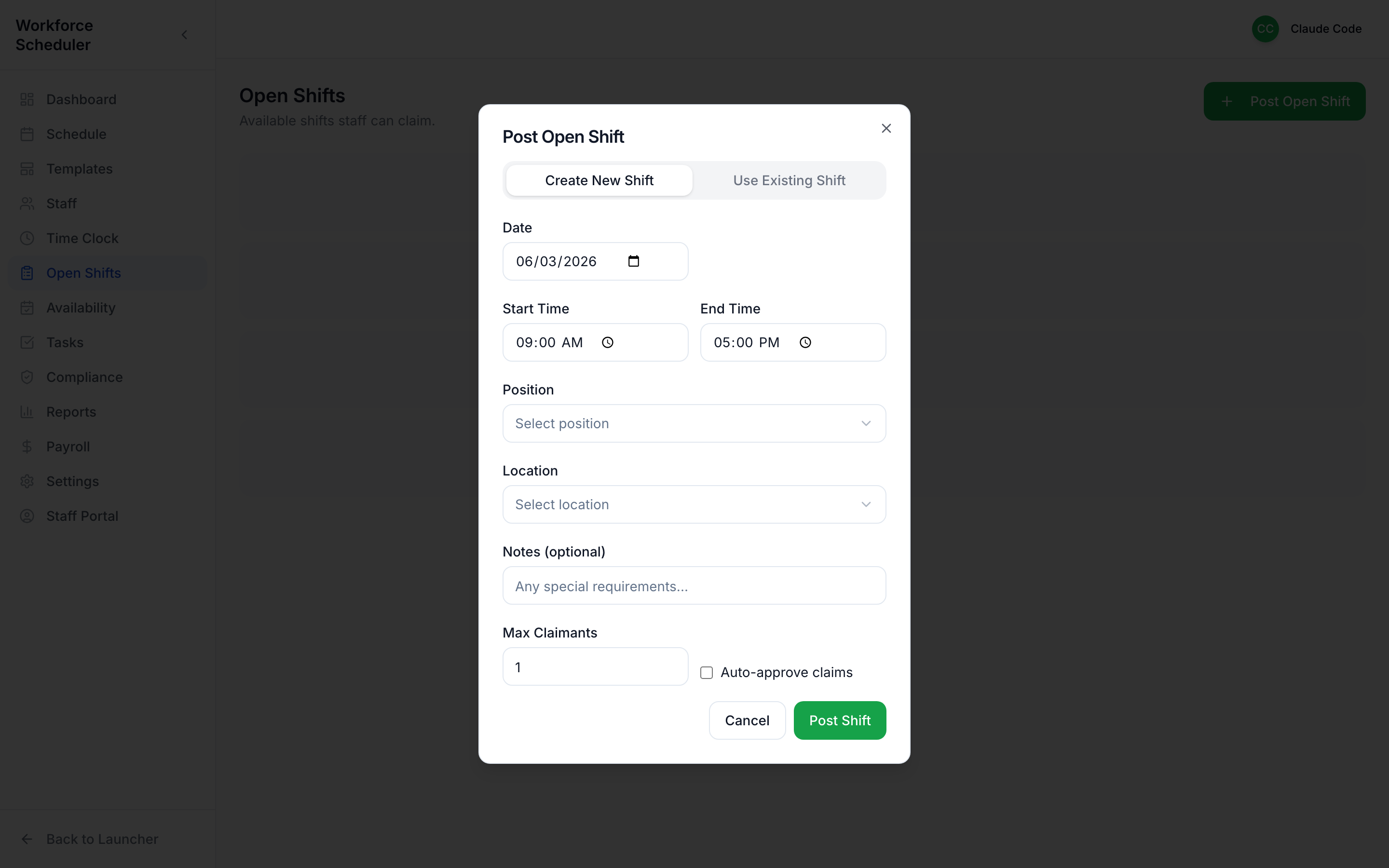
Set the date, time, position, location, how many people you need, and any special notes.
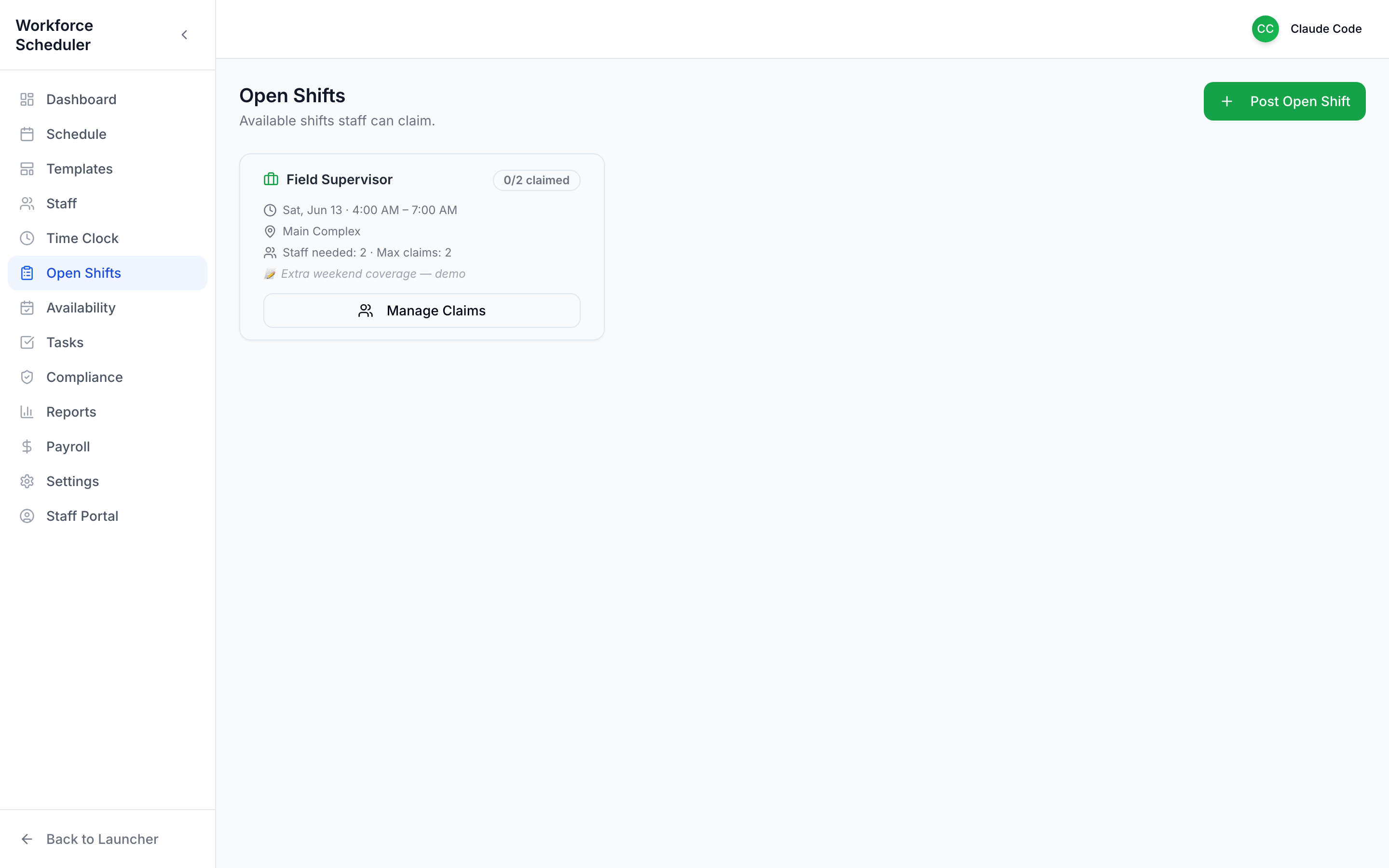
The open-shifts board
Section titled “The open-shifts board”Once posted, it appears as a claimable card — and in every qualified staffer’s portal.
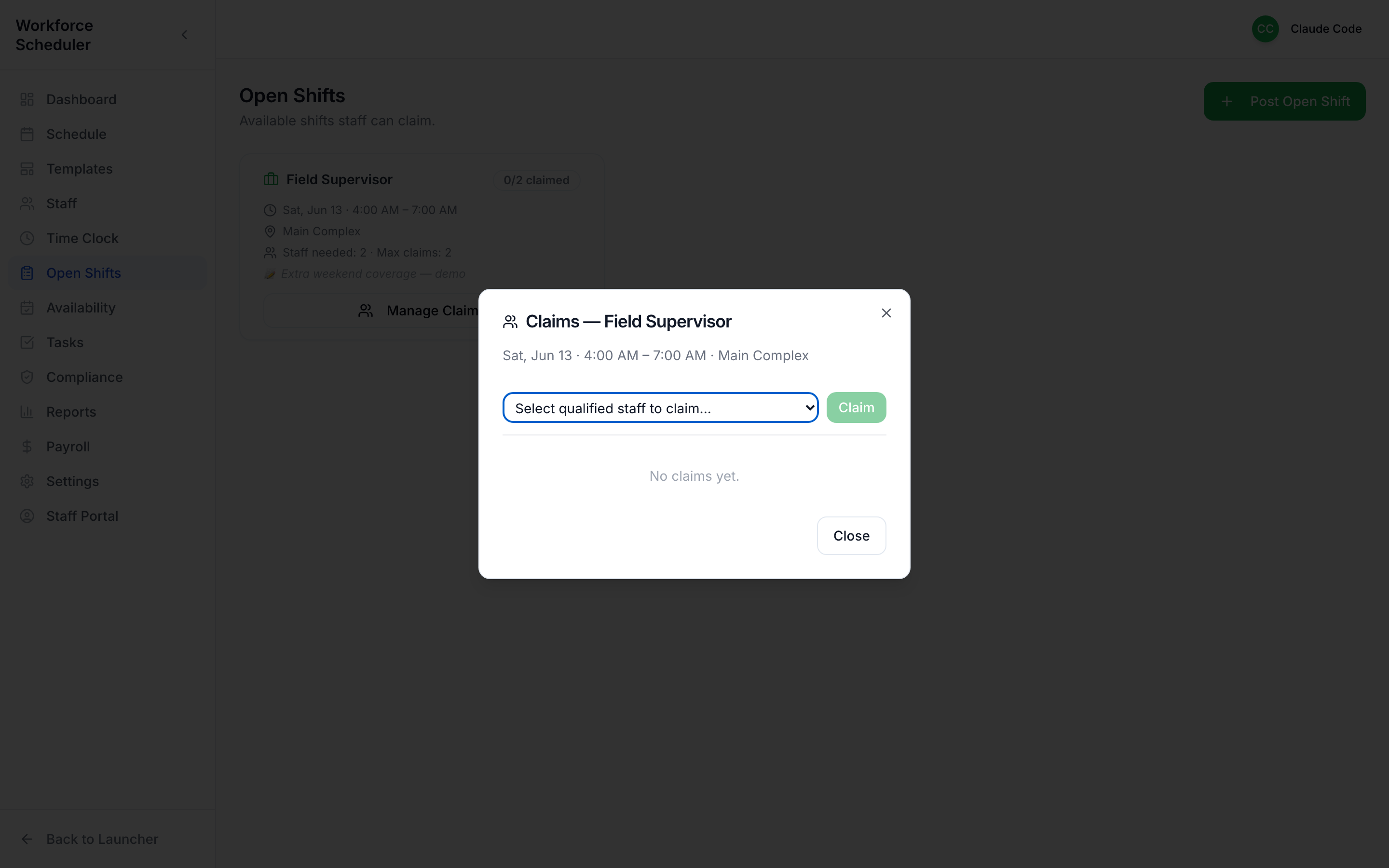
Manage claims
Section titled “Manage claims”When staff claim it, Manage Claims lets you see who’s interested and assign the shift to the right person.