Staff
The Staff directory is your roster — everyone who can be scheduled, with their roles, departments, and status.
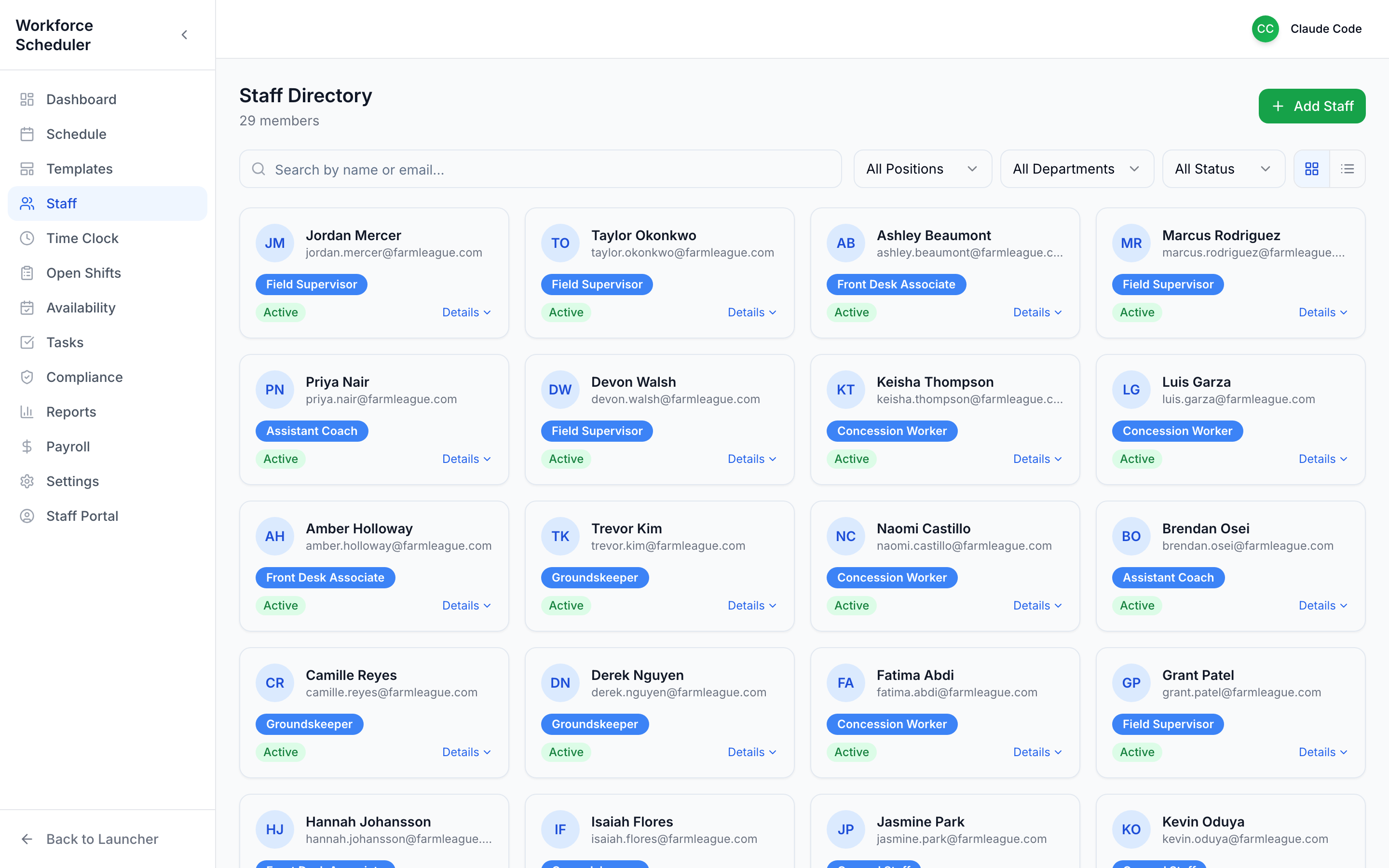 Search by name or email, or filter by Position, Department, or Status.
Each card shows the essentials at a glance; click Details to expand.
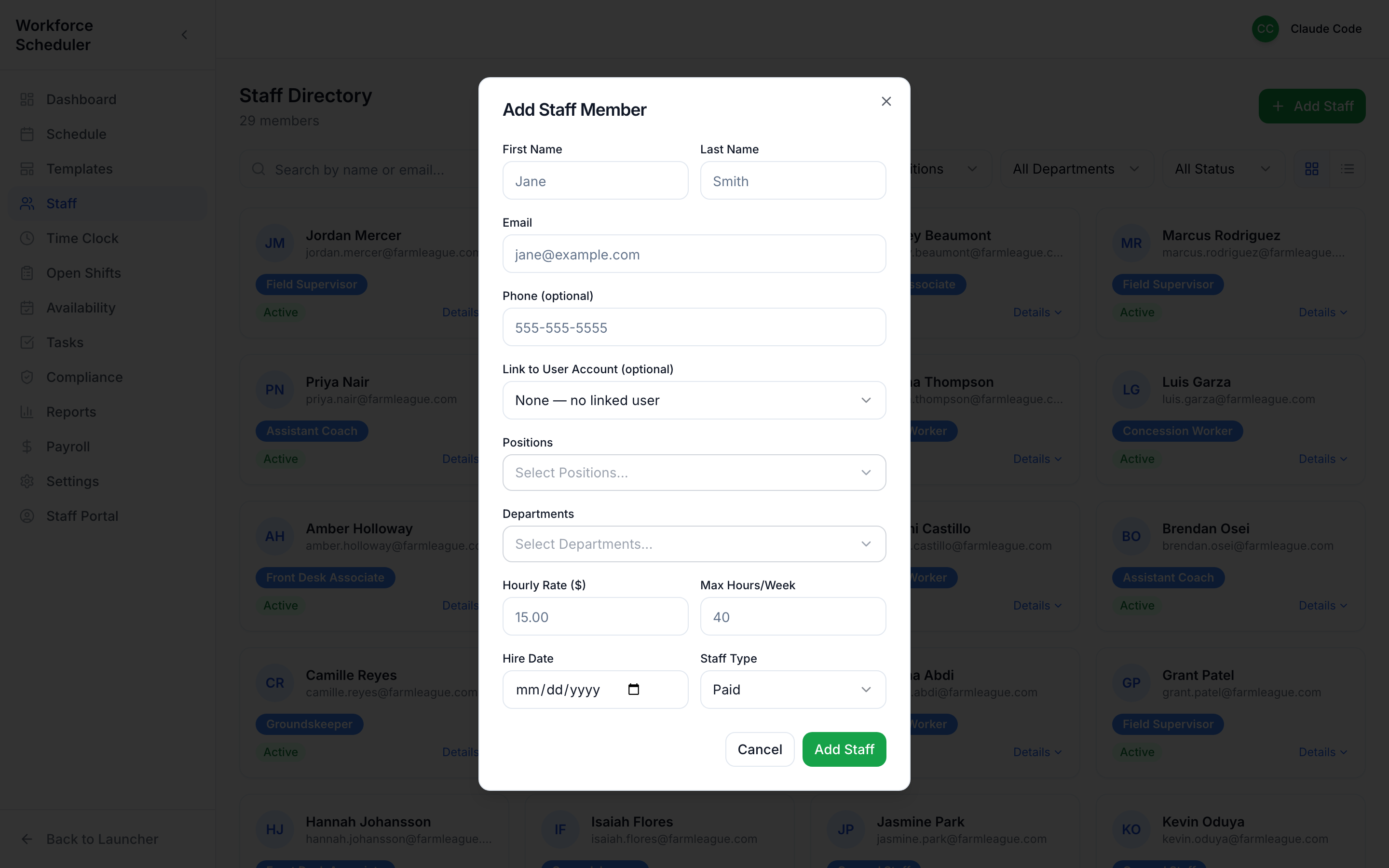
Add a staff member
Section titled “Add a staff member”Use the green Add Staff button — name, contact, positions, departments, and pay rate.
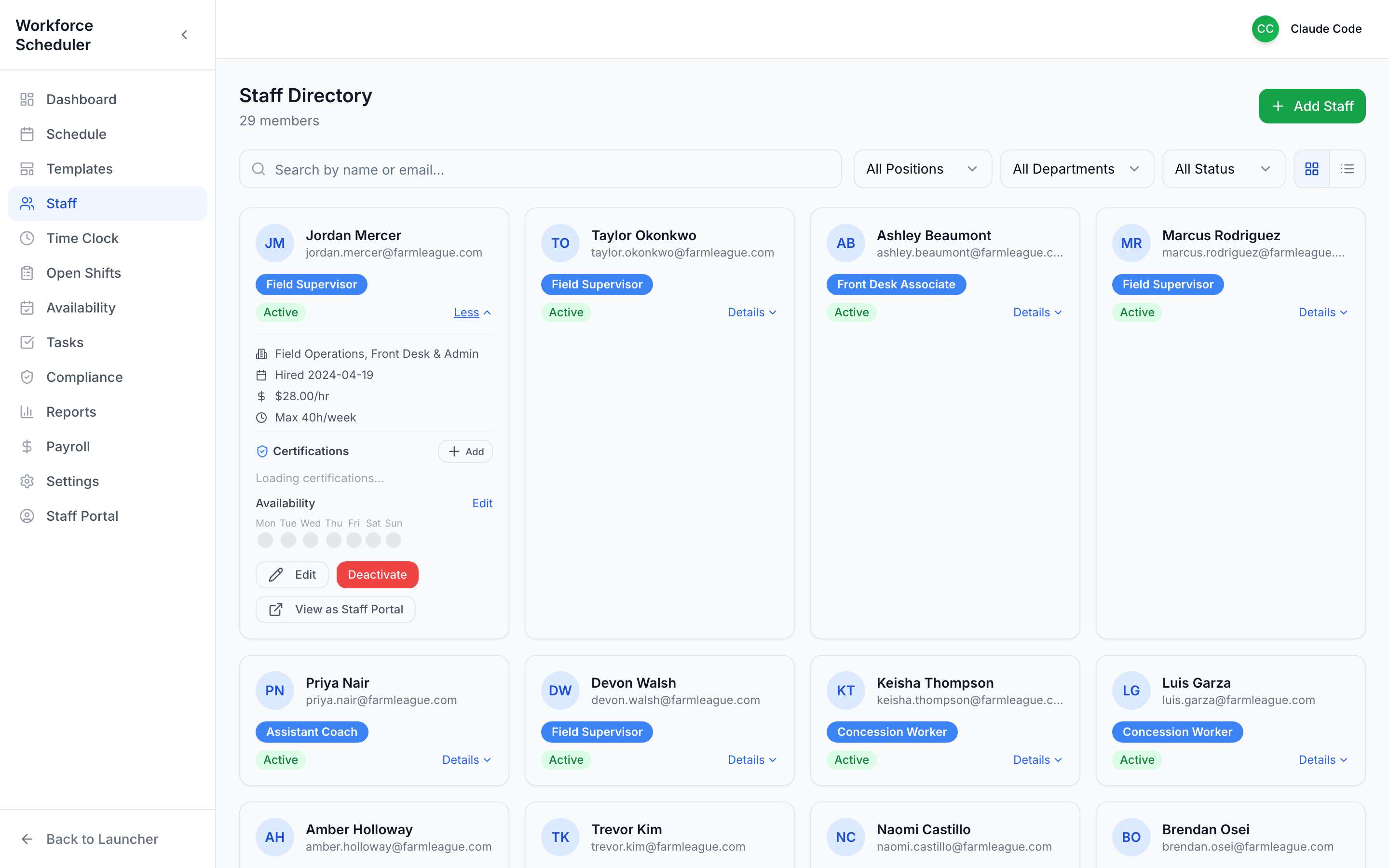
See the full picture
Section titled “See the full picture”Expand a card to see roles, assignments, and history.
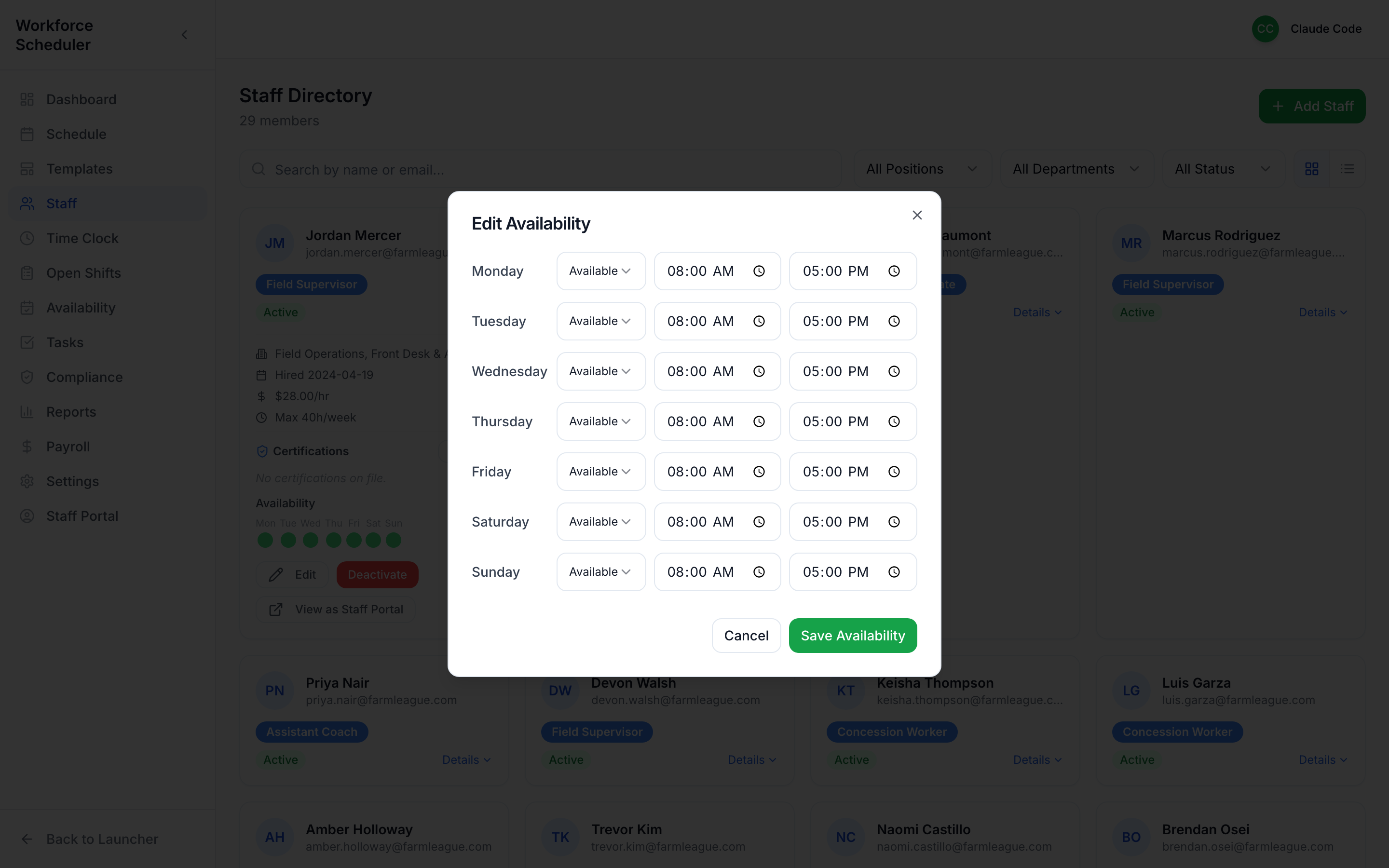
Set availability for someone
Section titled “Set availability for someone”You can set a staffer’s availability right from their profile — handy when they phone their schedule in.