
Build your menu
Your menu lives on Concessions › Menu & Modifiers. One menu serves every stand: an item is one record, sold at any stand that lists it. The page has five tabs: Products, Modifier Groups, Combos, Display & Reporting Groups and Route Keys.
Products
Section titled “Products”The Products tab lists everything you sell. Filter by Food, Merch or Ingredients, or search by name.
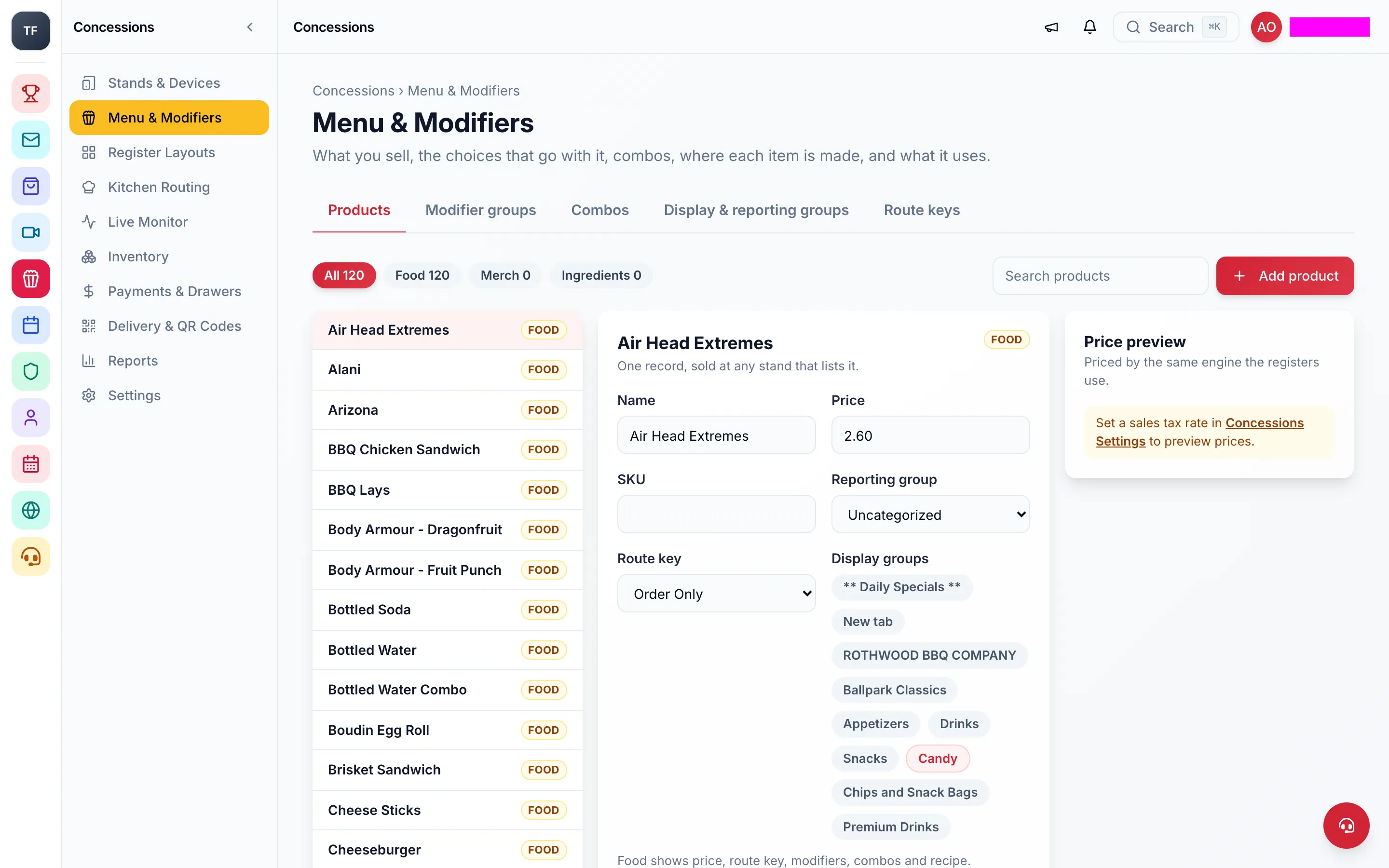
To add an item, click Add product and pick Food (something you sell) or Ingredient (something food is made from, for stock and food cost). Then fill in the details:
- Name and Price.
- SKU, if you use one.
- Reporting group: where its sales roll up in reports.
- Route key: which kitchen station makes it. Order Only means it needs no kitchen, like a bottle of water.
- Display groups: the register tabs it appears on.
- Modifier groups (in register order): click Attach a group to add the choices that go with it.
- Combos offered: the meal deals it can be upgraded to.
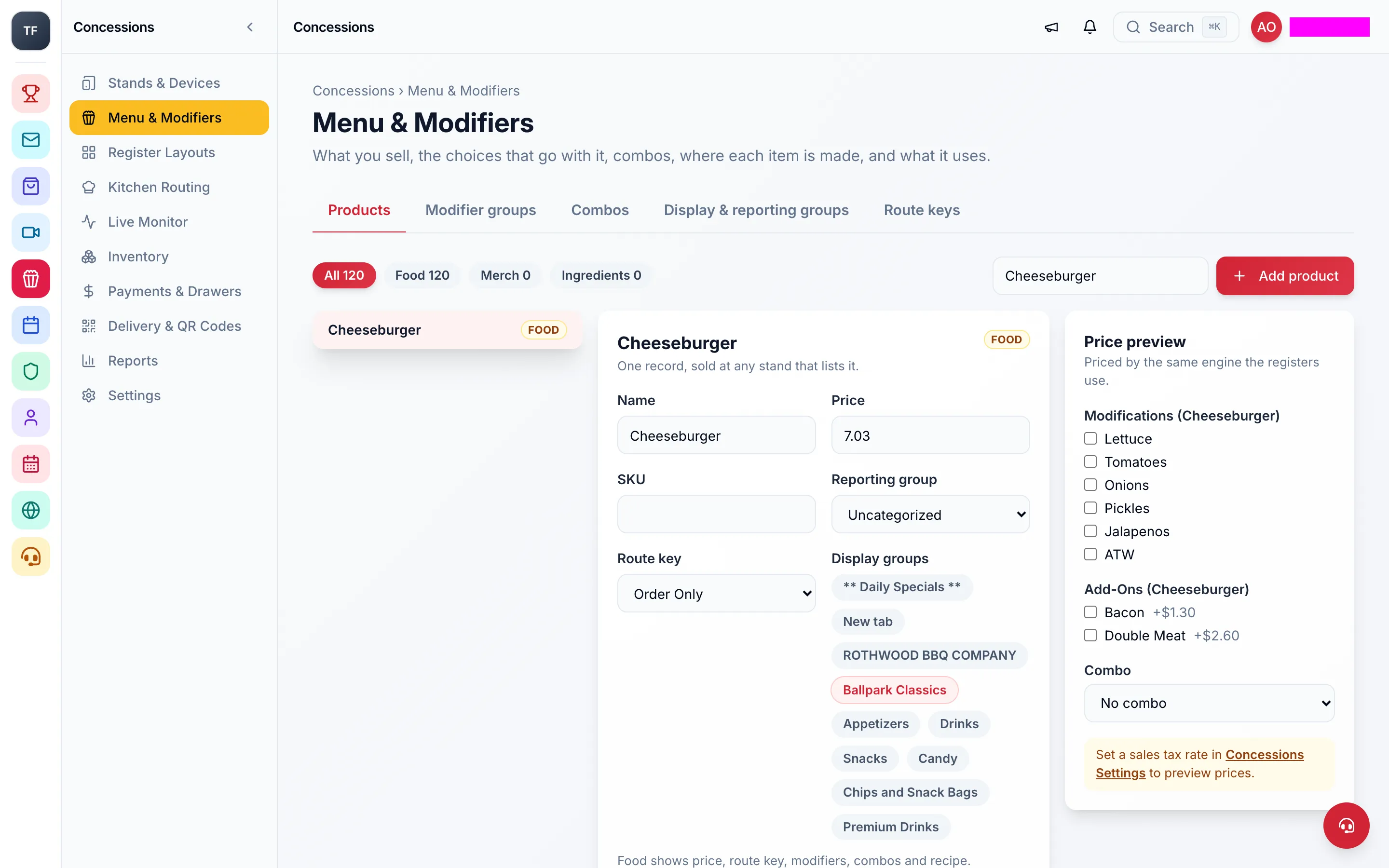
The Price preview on the right rings the item up the way a register would, with its choices and combo. It needs a sales tax rate in Concessions › Settings.
Modifier groups
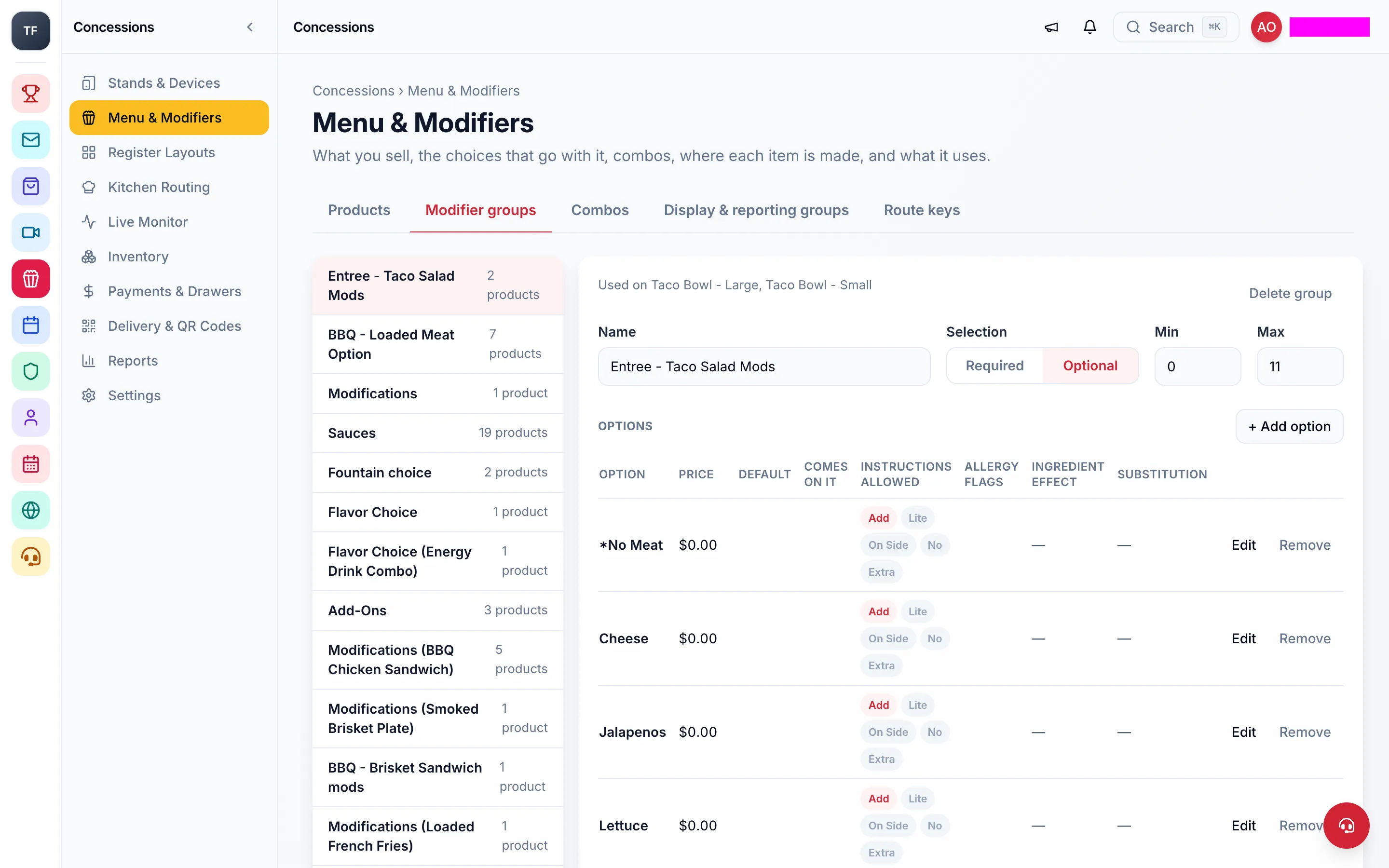
Section titled “Modifier groups”A modifier group is a set of choices you can attach to any number of items, such as “Burger toppings” or “Drink size”. Change it once and every item using it changes.
For each group, set:
- Required, and the fewest and most choices a guest makes. A drink size is required, exactly one. Burger toppings are optional, any number.
- Its options, each with a price (+$1.30 for bacon) or none.
An option can be included, meaning the item comes with it, like the lettuce on a burger. An included option can be changed at the register with No, Lite, On Side or Extra, and each of those can carry its own price. An option that isn’t included is an add-on the guest asks for.
Combos
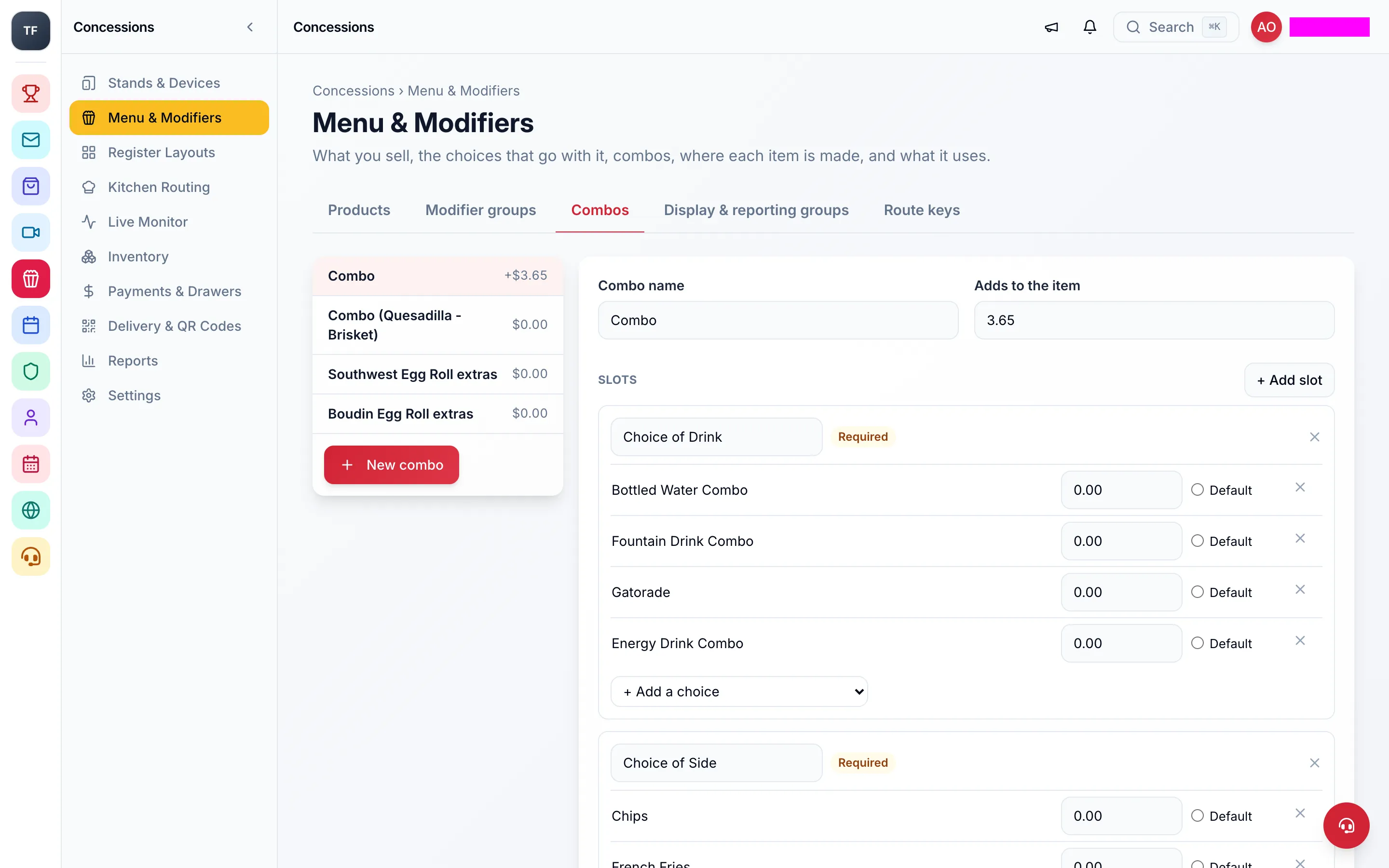
Section titled “Combos”A combo turns an item into a meal deal: “Combo +$3.65” adds a drink and a side. A combo has slots (Choice of Drink, Choice of Side), and each slot lists the items a guest can pick, each with an optional upcharge. Attach a combo to every item it applies to.
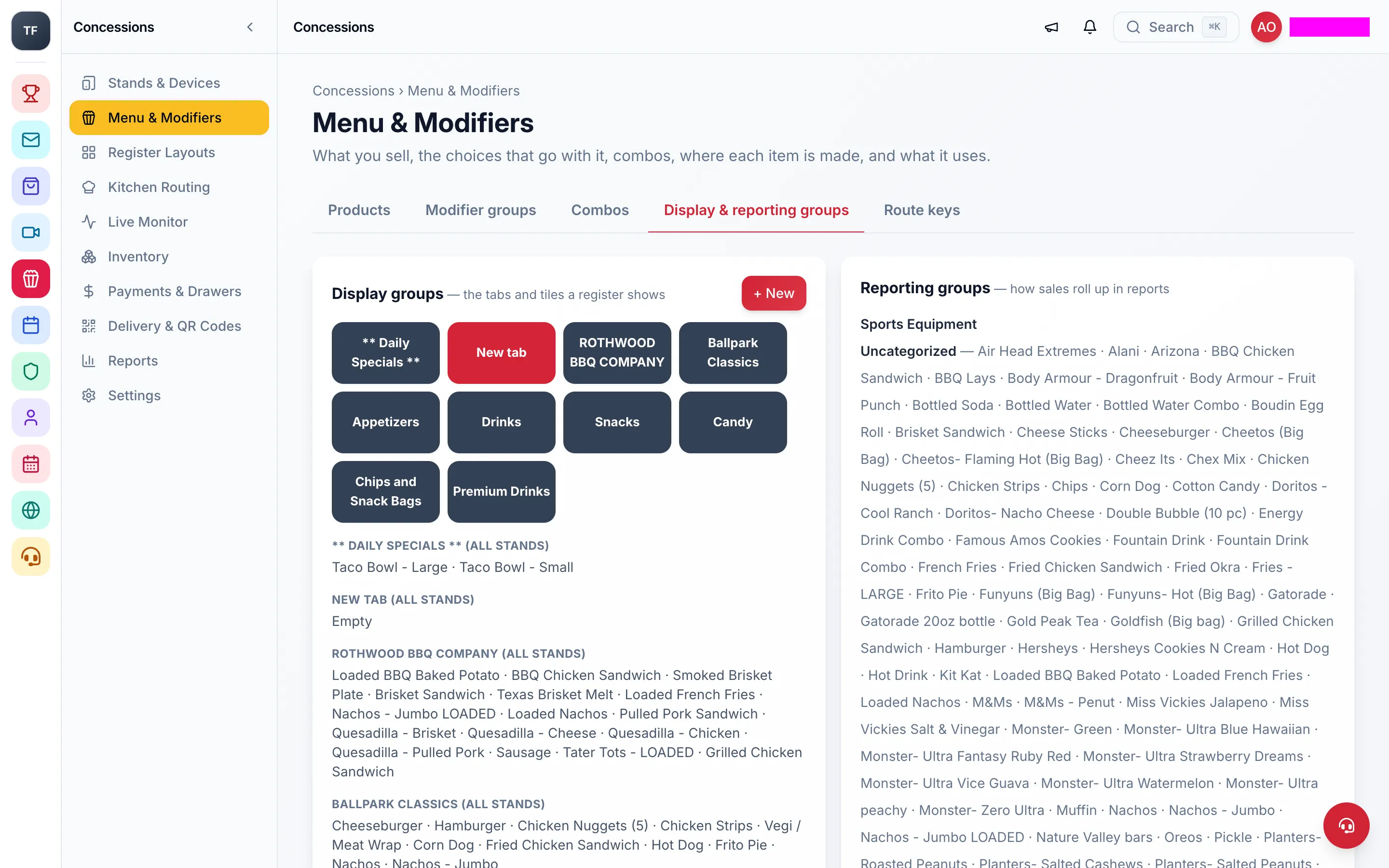
Display groups and reporting groups
Section titled “Display groups and reporting groups”These are two different groupings of the same items:
- Display groups are the tabs and tiles a register shows: Ballpark Classics, Drinks, Candy. An item can be on as many as you like.
- Reporting groups are how sales roll up in reports. Each item is in one.
Route keys
Section titled “Route keys”A route key names a kind of kitchen work, like Grill or Fry. Give each item the route key of the station that makes it. Kitchen Routing then sends each route key to a kitchen screen. Items with no route key are Order Only: they’re handed over at the register and never go to the kitchen.